Practical Google Ads for contractors
How Much Should Contractors Spend on Google Ads?
A profit-first way to choose a starting budget, set realistic lead targets, and know when to test, improve, or scale.
Short answer: there is no universal contractor Google Ads budget. Start with the economics of a profitable job, your lead-to-job close rate, and the number of new jobs your team can actually fulfill. Then fund a focused test long enough to collect useful call and form data. A small budget spread across too many services and cities often produces less useful information than a focused campaign built around one valuable service and a clear service area.
The tempting question is, “What does the average contractor spend?” That number rarely helps. A $1,500 project and a $50,000 project cannot support the same cost to acquire a customer. Search demand, competition, seasonality, service area, website quality, and phone response also change what a workable budget looks like.
A better question is: How much can we invest to win a profitable job, and how much qualified demand is available at that level? This guide gives you a practical starting framework without pretending that a calculator can forecast your exact results.
Build the budget backward from a won job
Begin with gross profit, not total job revenue. If a project sells for $20,000 but labor, materials, permits, and direct job costs consume most of that amount, the full $20,000 is not available to fund customer acquisition.
Use these four inputs:
- Average gross profit per won job: job revenue minus direct costs.
- Comfortable ad-cost share: the portion of that gross profit you are prepared to invest in media to win the job.
- Lead-to-job close rate: the percentage of qualified advertising leads that become paying customers.
- Target new jobs: the number your team can sell, schedule, and complete without creating an operations problem.
If you are unsure about job-level profit, start with MME’s free contractor estimate and profit calculator. Better estimating makes every later advertising decision more useful.
Contractor Google Ads budget planner
Change any input to see a planning scenario. These numbers are directional—not a promise of market pricing or campaign results.
This planner covers advertising media only. Management, landing pages, call tracking, software, sales labor, cancellations, and unqualified inquiries affect the full cost to acquire a customer. The daily equivalent uses 30.4 days because Google Ads generally calculates a monthly spending limit from an average daily budget × 30.4.
What the budget planner is really telling you
The calculator does not tell you what clicks will cost in your market. It tells you the maximum economics your business can support under the assumptions you entered.
In the default example, $6,000 in gross profit per won job and a 20% media allowance create a $1,200 planning cost per acquisition. At a 25% qualified lead close rate, the corresponding planning cost per qualified lead is $300. To win two jobs, you would plan for about eight qualified leads and $2,400 in media.
Now compare that target with real market data. If the campaign produces qualified leads well under $300, the economics may support growth. If leads consistently cost more, you need to improve targeting, landing-page conversion, lead handling, close rate, job value, or the offer before simply increasing spend.
Keep “lead” and “qualified lead” separate
A form submission outside your service area, a wrong-number call, and a homeowner seeking a service you do not offer should not be valued like a real estimate opportunity. Track phone calls and forms, then classify the outcome in your sales pipeline. Google explains that conversion tracking connects ad interactions to valuable actions such as calls and lead forms; your business still needs to decide which of those actions became qualified opportunities.
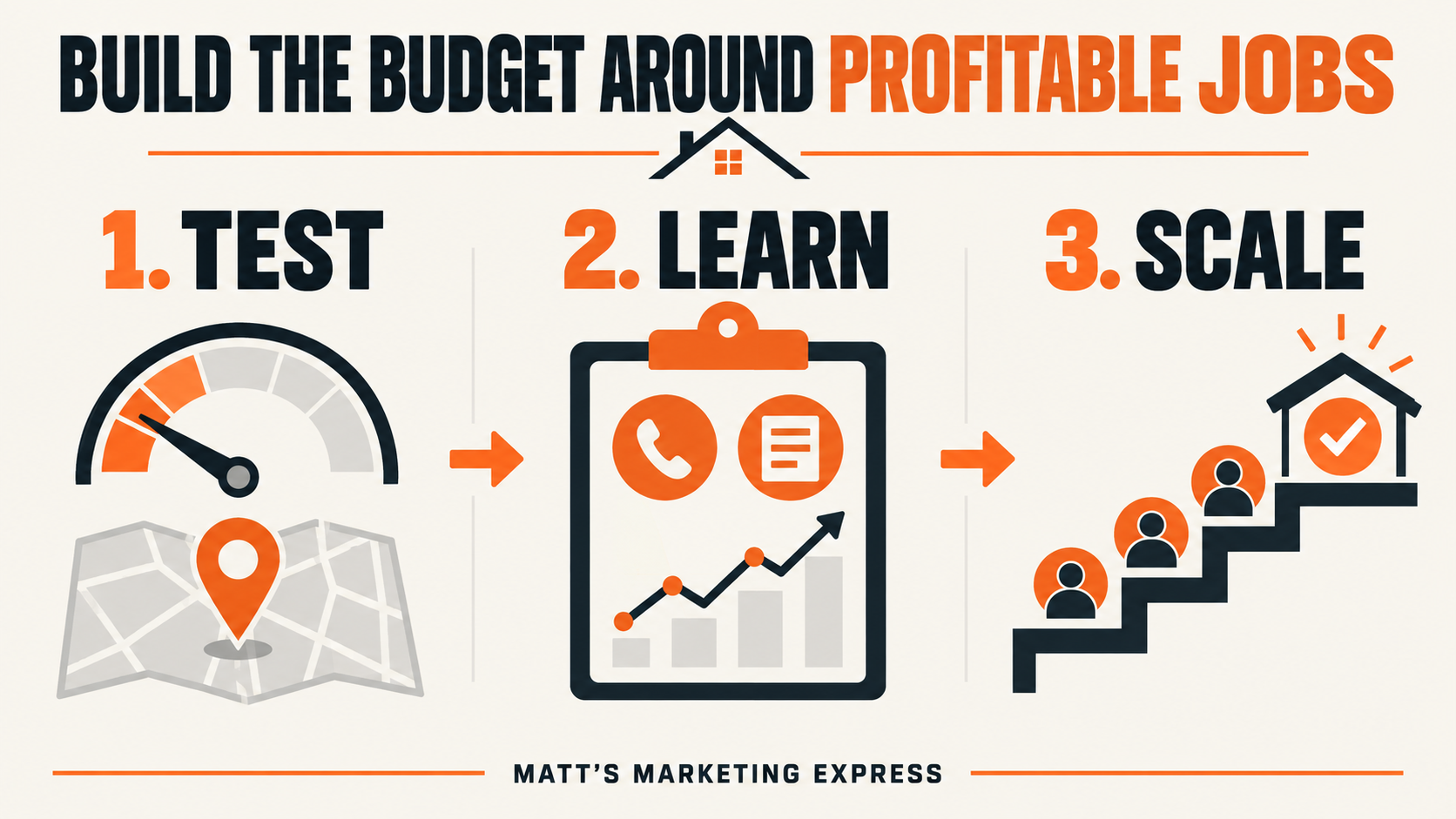
Use a three-stage budget: test, learn, scale
1. Test one focused opportunity
Choose a service with healthy profit, a clear service area, and enough search demand to evaluate. A pool builder might separate new-pool construction from weekly service. A painter might begin with exterior repainting instead of mixing cabinets, commercial work, interiors, and exterior leads in one campaign.
Focus gives the test a fair chance. If the same modest budget is divided among six services, twenty cities, and several campaign types, each segment may receive too little traffic to produce a useful conclusion.
2. Learn from real calls, forms, and booked estimates
Do not optimize only for clicks. Confirm that calls connect, forms arrive, source data is captured, and the team records whether each inquiry was qualified. A connected contractor lead-generation system should make the path from search to inquiry easy to see.
Then review the search terms, service-area fit, missed calls, booking rate, estimate show rate, and won jobs. One expensive click can still be valuable. Ten cheap clicks that produce no legitimate conversations are not.
3. Scale what produces profitable jobs
Increase budget after you can explain what is working. Scaling may mean funding the best service more consistently, expanding to a neighboring city, improving impression coverage at profitable times, or testing another closely related service.
Budget is only one lever. Before increasing it, confirm that the landing page matches the search, tracking works, and someone can respond quickly. MME’s guide to contractor lead response time shows how to turn the first few minutes into a clear next step.
How Google Ads daily budgets behave
Google Ads commonly asks for an average daily budget rather than a fixed daily cap. According to Google’s spending-limit documentation, most campaigns may spend up to twice the average daily budget on a particular day while remaining within a monthly spending limit of 30.4 times the average daily budget.
For planning, divide a monthly media amount by 30.4. A $3,040 monthly budget corresponds to a $100 average daily budget. Actual day-to-day spend can vary, so owners should review billed cost and campaign performance instead of assuming every day will land at exactly $100.
Common contractor budget mistakes
Picking a round number with no job math
“Let’s try $500” sounds cautious, but it may be too little to test the target service—or more than a low-margin service can support. Tie the amount to gross profit and capacity first, then validate it against available search demand.
Counting every inquiry as equal
A campaign can report many conversions and still deliver few sellable projects. Use meaningful call-duration rules, remove spam and wrong-service inquiries, and connect leads to booked estimates and won work.
Sending paid traffic to a generic homepage
A homeowner searching for a specific service should see that service, location relevance, proof, and a direct next step. Strong contractor website design protects the media investment by making the click easier to understand and act on.
Scaling before the follow-up system is ready
More leads do not fix missed calls, slow estimates, unclear ownership, or inconsistent follow-up. Make sure your team can handle the target volume before paying to create more opportunities.
Judging the campaign after a handful of clicks
A narrow sample can be noisy. Set a defined test period and decision rules before launch. Review weekly for problems, but avoid rebuilding the campaign every time a single day looks expensive.
A practical monthly review
| Review item | Question to answer | Possible next action |
|---|---|---|
| Search terms | Are homeowners searching for the services and locations you actually want? | Add negative keywords or narrow the campaign. |
| Calls and forms | Are conversion actions working and producing real conversations? | Repair tracking, forms, routing, or call handling. |
| Qualified-lead cost | Is the cost inside the profit-based planning range? | Improve traffic quality, page conversion, or economics. |
| Estimate pipeline | How many qualified leads booked, showed, and received estimates? | Fix scheduling and sales-process leaks. |
| Won jobs | Which services and areas produced profitable work? | Shift budget toward proven segments. |
| Capacity | Can the team serve more of the work being generated? | Scale, hold, or redirect demand. |
Good Google Ads management for contractors connects campaign structure, the landing page, conversion tracking, lead handling, and won-job feedback. The budget matters, but the system around it determines whether the spend becomes useful information and profitable work.
Frequently asked questions
What is a good starting Google Ads budget for a contractor?
A good starting budget is large enough to test one focused service in your actual market and small enough to remain comfortable while you learn. Calculate an economically supportable range from gross profit and close rate, then compare it with search-demand forecasts and real early results.
Should I set a daily or monthly Google Ads budget?
Plan the business decision monthly, then translate it into the average daily budget used by Google Ads. For most campaigns, dividing the monthly media amount by 30.4 gives the equivalent average daily budget.
How long should a contractor test Google Ads?
There is no fixed duration that fits every service. Define the test by enough qualified-lead and sales data to make a decision, not only by a calendar deadline. A low-volume, high-value service may require more time than a common repair service.
What should count as a Google Ads conversion for a contractor?
Track actions that represent real intent, such as qualified phone calls, estimate-request forms, and booked appointments. Keep micro-actions separate, and connect each inquiry to its eventual qualification, estimate, and won-or-lost result.
Does a higher budget automatically create more contractor leads?
No. More budget can expose the campaign to more available traffic, but targeting, competition, landing-page conversion, tracking, response time, seasonality, and search demand still shape the result. Scale after those parts are working together.
Get a budget recommendation tied to your actual business
Matt’s Marketing Express reviews your service mix, market, website, tracking, lead handling, and job economics before recommending a starting budget. You will get a practical next step—not a generic percentage or a promise that ad spend alone can guarantee jobs.
Book a free contractor marketing review